
Documentation Index

Fetch the complete documentation index at: https://docs.paxos.com/llms.txt

Use this file to discover all available pages before exploring further.

Go to the Dashboard and click Deposit in the top-right corner to generate deposit instructions (for USD) or deposit addresses (for crypto) for sending funds to the Paxos platform.
  1. Select the Asset and corresponding crypto or fiat Network for the deposit. For bank wire deposits, specify the routing type.
  2. Choose the Profile where the assets will be deposited on the Paxos platform.
  3. Off the platform, use the generated instruction or address to send the assets to the Paxos platform.
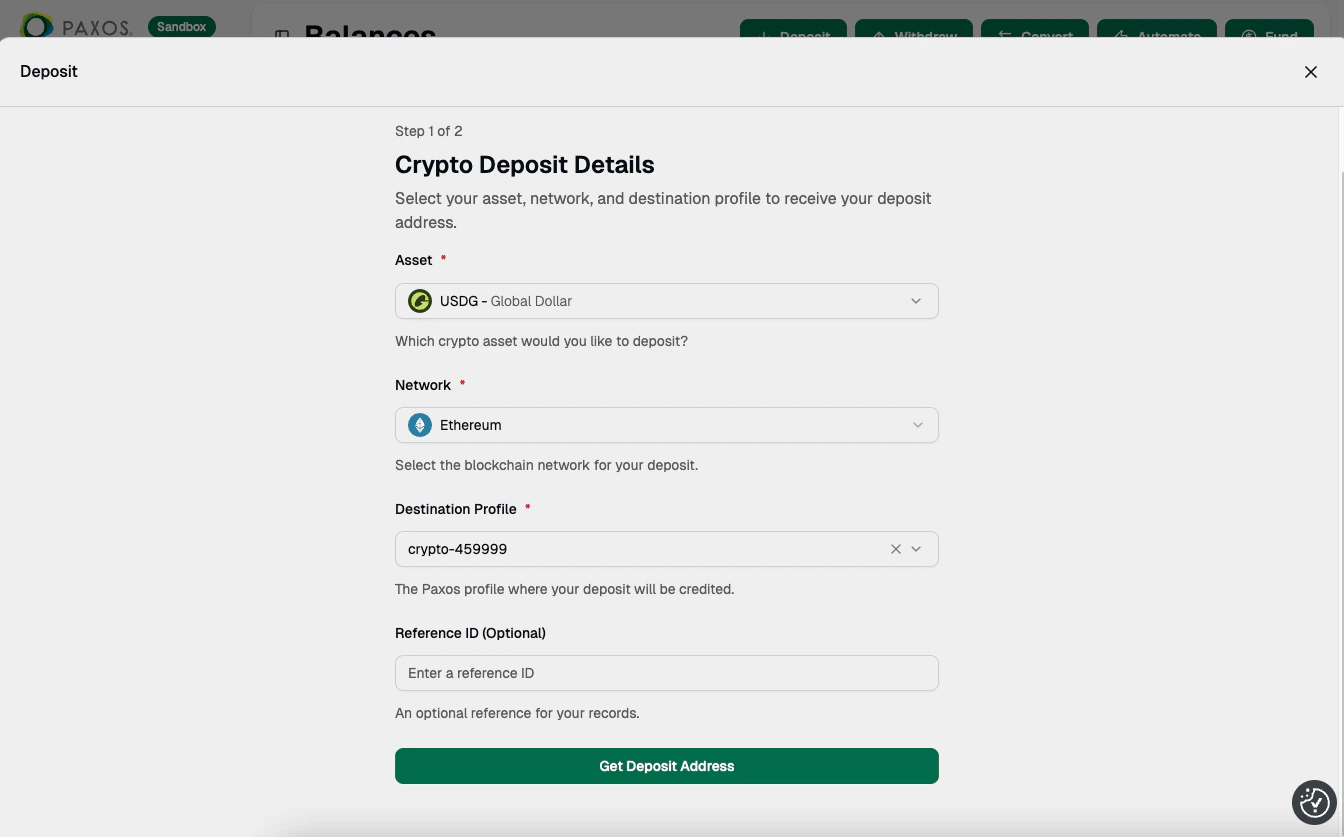
Deposit Details Go to Transactions > Deposits & Transfers to monitor deposit activity.
Previously generated instructions and addresses are available in Deposit Addresses (crypto) and Deposit Instructions (fiat).